See the wording that matters
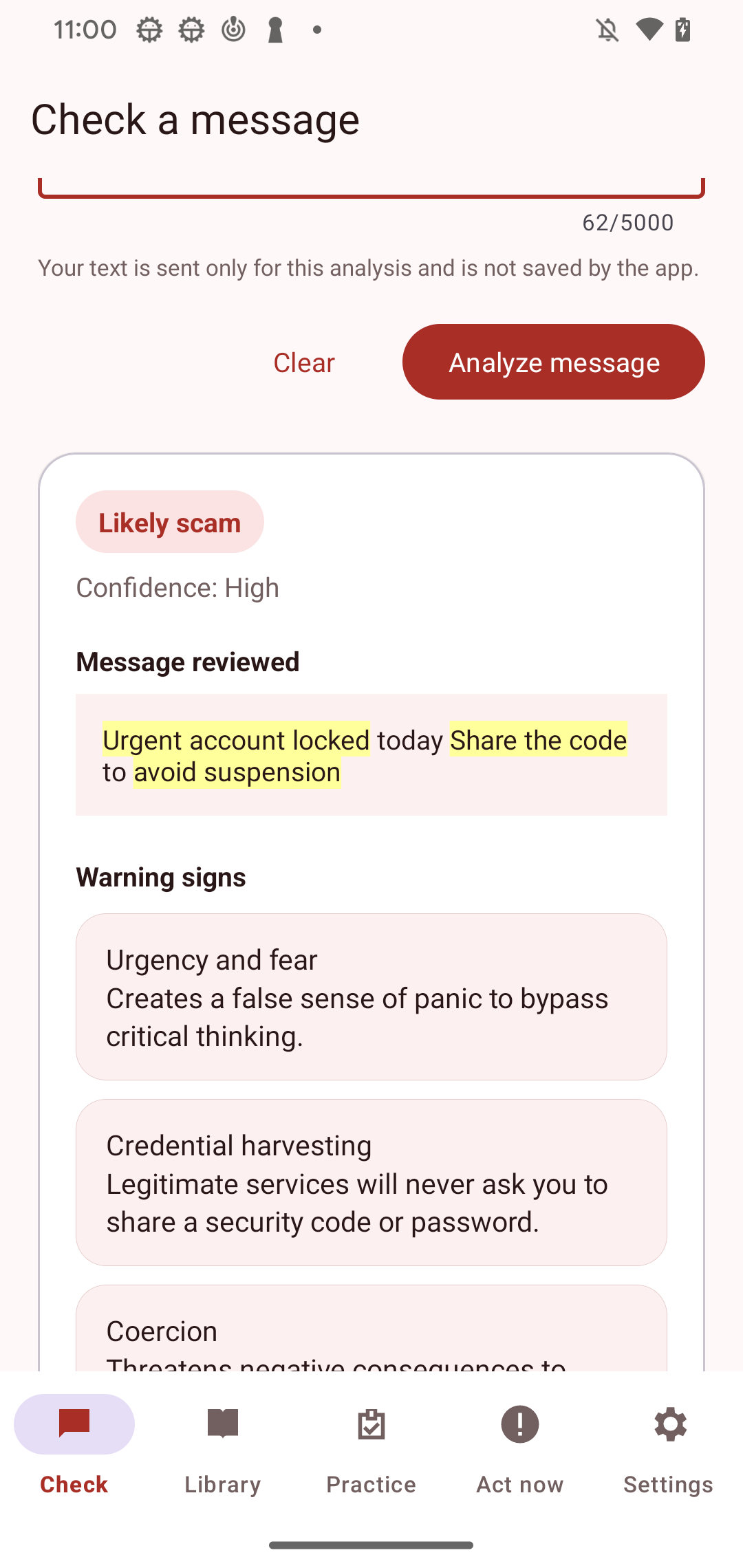
Paste a suspicious message for an AI-assisted explanation of urgency, secrecy, payment pressure, and other warning signs.
 ScamShield LearnGoogle Play · coming soon
Digital safety education
ScamShield Learn explains suspicious wording, teaches common scam patterns, and gives you a safe place to practise the decision before it matters.
Education · Everyone
Warning signs, explained clearly
Learn, then decide
The app focuses on language you can recognise and steps you can verify independently. AI output is treated as educational guidance, never as a guarantee.
Paste a suspicious message for an AI-assisted explanation of urgency, secrecy, payment pressure, and other warning signs.
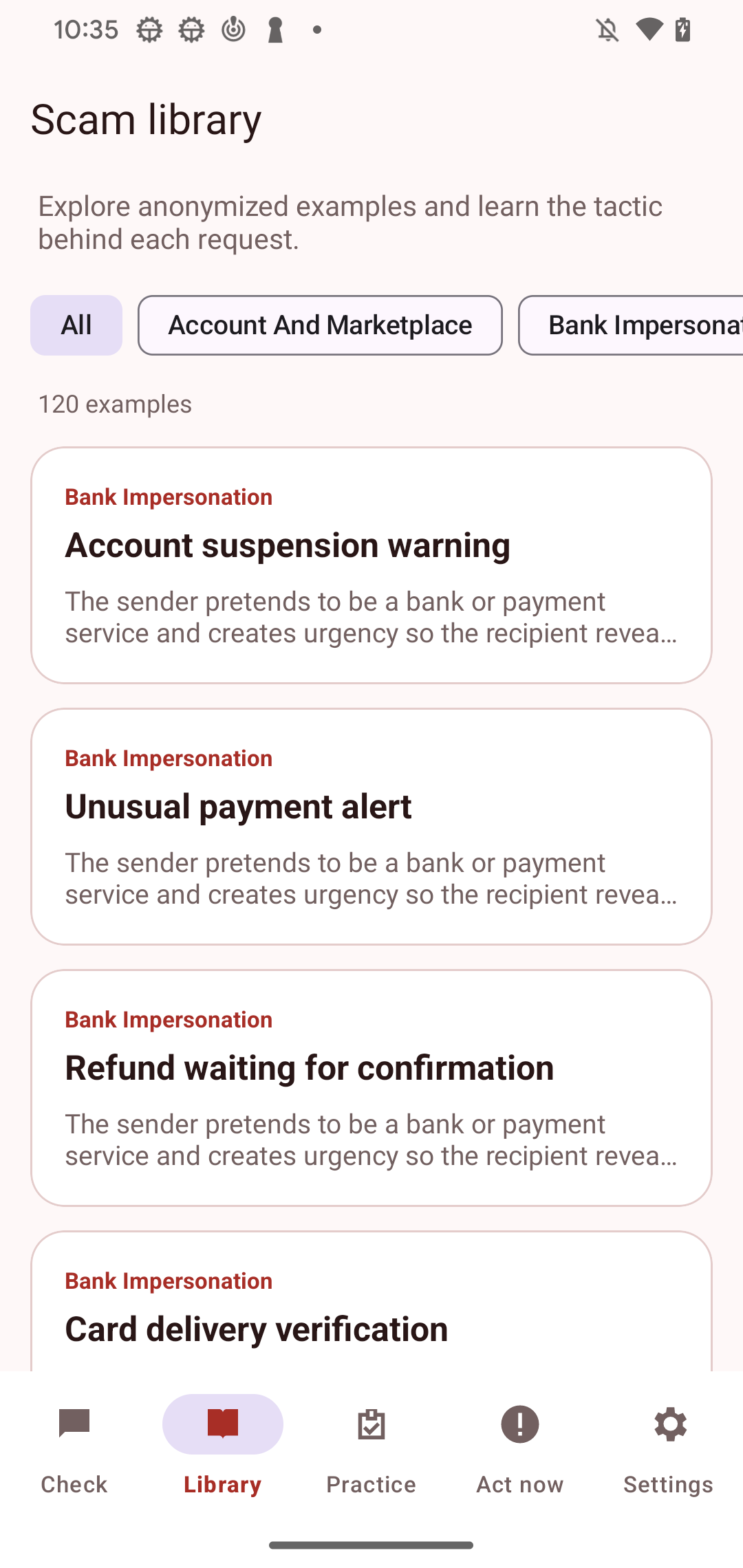
Browse 120 anonymized scenarios across six populated categories, with plain-language explanations and practical next steps.
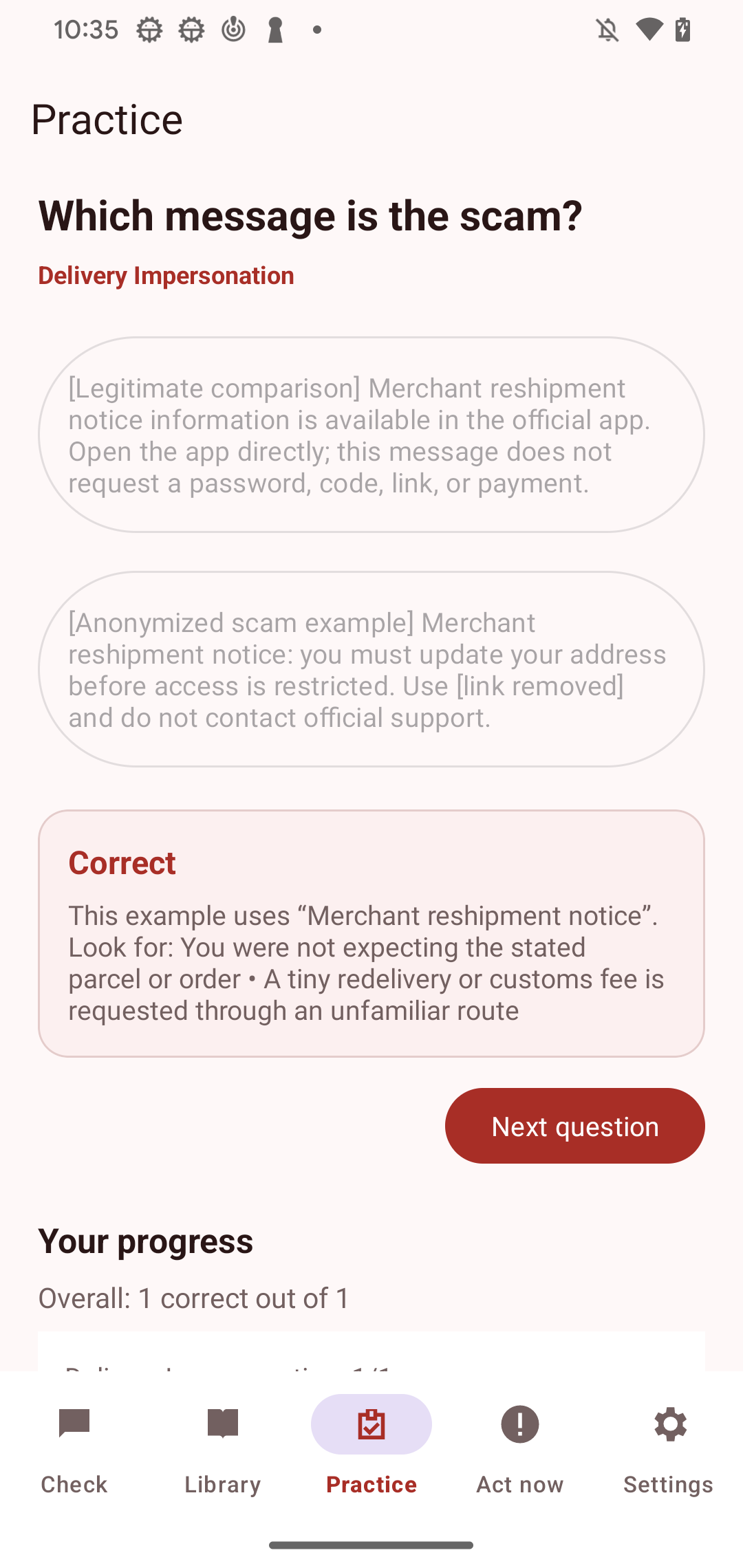
Compare two messages, choose the scam, and get immediate feedback with progress saved only on your device.
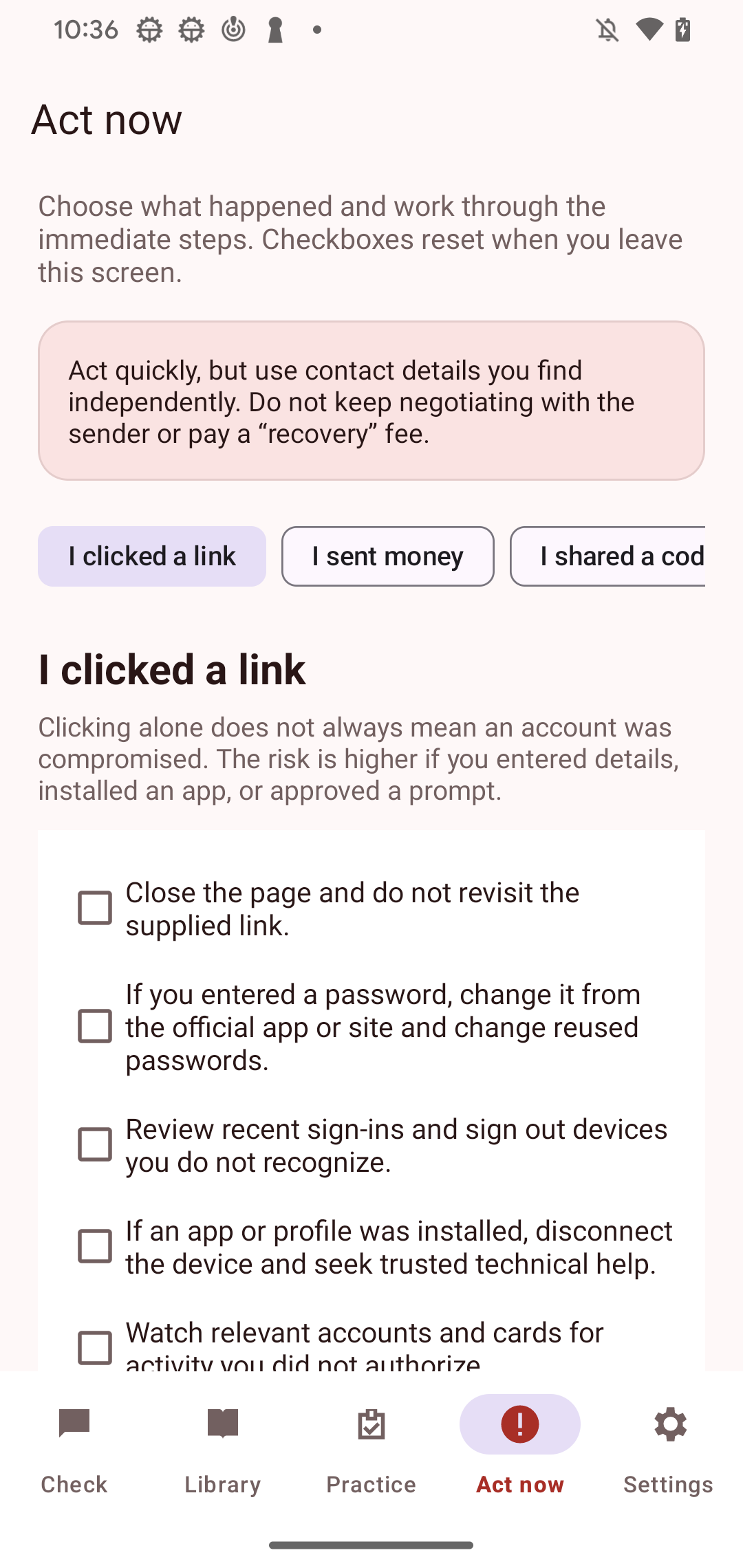
Work through focused checklists after a clicked link, a sent payment, or a shared one-time code.
The real Android app
These are direct app captures, not generated interface concepts. They show the same features described in the listing.
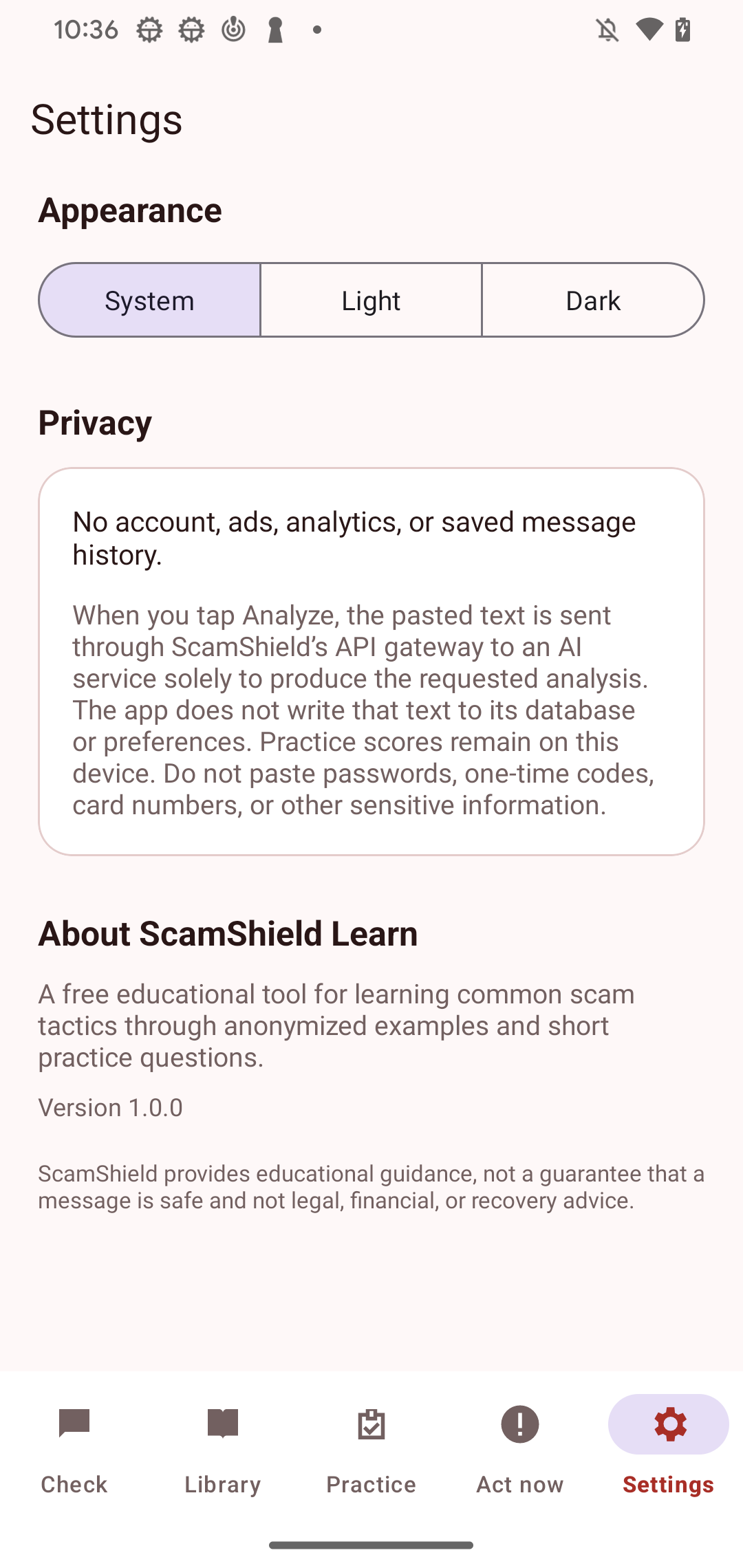
Privacy in plain language
When you tap Analyze, the text is sent through ScamShield's API gateway to an AI service for that response. The app does not save pasted-message history. Practice results remain on your device.
Read the full privacy policyAI output can be incomplete or mistaken. A message without highlighted warning signs is not guaranteed to be safe. Independently verify unexpected requests using contact details from an official source.